
Discord has no built-in way to delete every message from one user. Banning someone can remove their recent messages, but if you only want to clean up after them (a spammer, a raid account, a message flood from a broken bot) you'd be deleting one message at a time.
Quark's /purge command does it in one go, and its filters pick exactly which messages go.
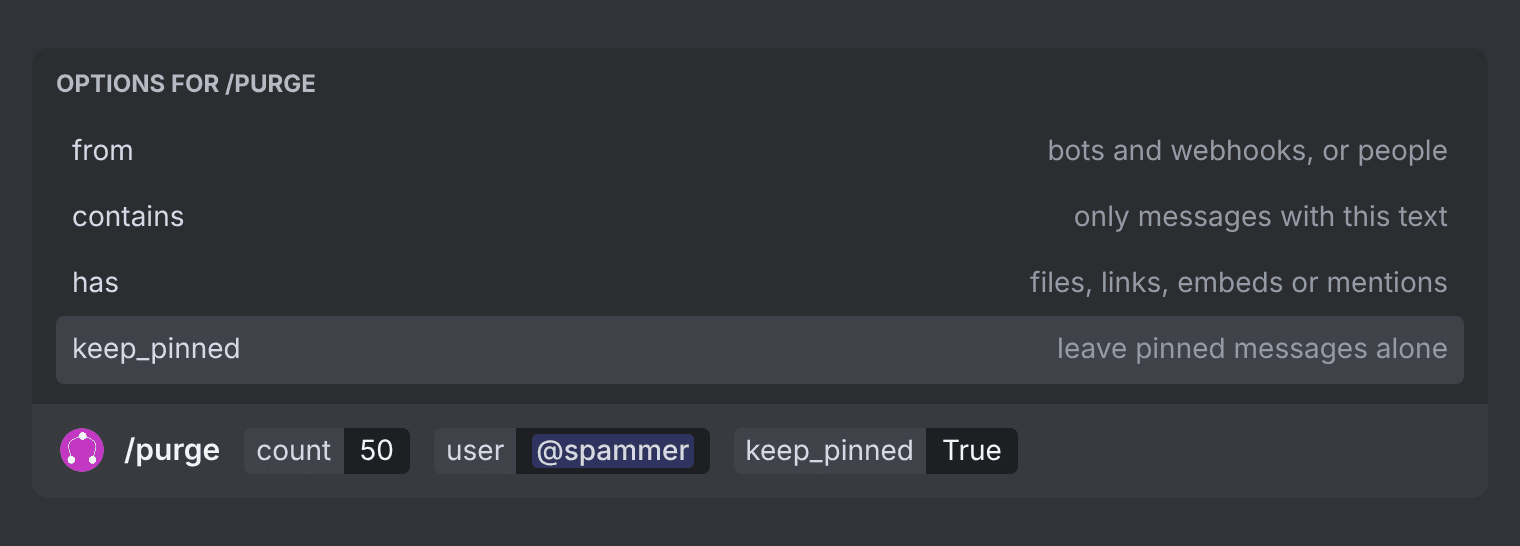
Tutorial: delete one user's messages
- Go to the channel you want to clean up.
- Type
/purgeand choose Quark's command. - Set
countto how many of their messages to delete, from 2 to 100. - Set
userto the member. - Optional: set
keep_pinnedtotrueto leave pinned messages alone. - Send it.
Quark looks back through up to 500 messages for matches and deletes them. The reply tells you how many messages were deleted, and if it found fewer than count, how many it looked through.
Every filter /purge has
| Option | What it does |
|---|---|
count | Required. How many messages to delete, 2 to 100. With a filter, how many matching messages |
user | Only this member's messages |
from | bots (bots and webhooks) or humans |
contains | Only messages containing this text, in any case |
has | Only messages with files, links, embeds or mentions |
keep_pinned | true leaves pinned messages alone |
Filters combine. A message has to match all of them to be deleted.
Recipes
- Clean up after a spammer:
/purge count:100 user:@spammer - Clear a bot's message flood:
/purge count:50 from:bots - Remove every invite link someone dropped:
/purge count:20 user:@member has:links - Delete a copied-and-pasted scam message:
/purge count:30 contains:free nitro - Tidy a channel but keep the rules post:
/purge count:100 keep_pinned:true
Careful with count on its own: with no filters, /purge deletes the last count messages, pinned ones included. Add keep_pinned:true if that matters.
Limits to know
- 14 days. Discord does not let bots bulk delete messages older than 14 days, so
/purgeskips them and stops looking when it reaches them. - Permissions. You need Manage Messages in the channel you run it in, and channel overrides count. Quark needs Manage Messages too.
- One channel at a time.
/purgeworks in the channel you run it in.
After the clean-up
If you're cleaning up after someone, it's worth checking what else they did: their edited messages show what they changed before you got there. Then set up a word filter so the next one gets flagged sooner.
FAQ
Can I delete all of one user's messages in a Discord channel?
Discord has no button for it. With Quark, run /purge with the user option: count is how many of their messages to delete, up to 100 at a time, and Quark looks back through up to 500 messages to find them.
Why can't /purge delete messages older than 14 days?
Discord does not allow bots to bulk delete messages older than 14 days, so /purge skips them.
What permission do I need to use /purge?
Manage Messages in the channel you run it in. Channel overrides count, so a channel that takes the permission away from your role stops /purge there. Quark needs Manage Messages too.
Every option is in the /purge reference. Don't have Quark yet? Add it to your server.